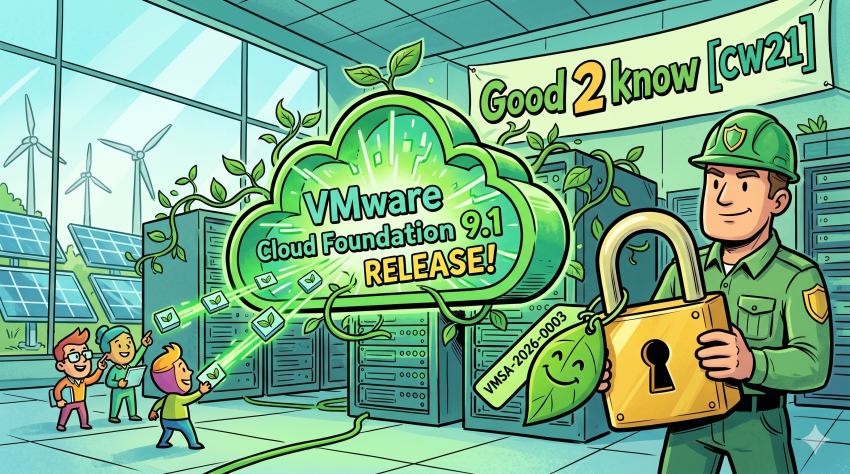
VMware Cloud Foundation 9.1
https://go-vmware.broadcom.com/whats-new-in-vcf
| VCF 9.1 Technical Demo: Main Features Walkthrough Ready to see the new platform in action? Join Ken as he provides a comprehensive technical walkthrough of the core features inside VMware Cloud Foundation (VCF) 9.1. From UI updates to backend optimizations, see how the unified operating model simplifies multi-cloud and private cloud management. | Youtube |
| New Virtually Speaking series featuring 9 dedicated episodes with VCF experts Watch our new Virtually Speaking series featuring 9 dedicated episodes with VCF experts. Explore how to scale AI workloads, automate deployments, strengthen cyber resilience, and more. See the series on YouTube. | Youtube |
| Upgrade stuck at „Install VCF Operations – Import legacy components using SDDC lifecycle service“Are you currently installing the VCF Management services/components and the process is stalled at the „Install VCF Operations – Import legacy components using SDDC lifecycle“ stage? | BlogPost |
| VCF 9.1.x Ultimate Deployment Guide In this guide we will be taking a look through the deployment of the full VCF 9 suite, using the new easy installerWe will go through installing and configuring ESX for the management network and setting the certificates up, I will give a very rough overview of the networking, but this varies per vendor and wont be covered in great detailThen, deploying the VCF installer appliance, which will build the foundation of the environment where we can continue with some day 2 deployment steps | BlogPost |
| VCF 9.1 – Platform Health Check Error in VMSP VMSP tasks fail due to Platform Health Check Error reporting that logging-operator-fluentd is in the wrong resource state InProgressThis is a quick and dirty rundown on troubleshooting an issue with the fluentd service on the new VMware Management System Platform (VMSP) that comes with the VCF 9.1 release. | BlogPost |
| What’s New in VMware Cloud Foundation 9.1: Highlights (HOL-2701-01-VCF-L) This highlights lab takes learners on a guided tour of the most impactful new capabilities across the entire VMware Cloud Foundation stack from a refreshed user experience to intelligent networking, all at a beginner-friendly pace. Five focused modules cover the breadth of What’s New in 9.1. By the end of this lab, participants will have a clear, hands-on understanding of where VMware Cloud Foundation 9.1 delivers the most value; whether the goal is reducing operational complexity, cutting infrastructure costs, accelerating automation, or strengthening security posture. | HandsOn-Lab |
| Memory Tiering in VMware Cloud Foundation 9.1: Spotlight (HOL-2703-01-VCF-L) Memory Tiering in VMware Cloud Foundation 9.1 puts NVMe SSDs to work as a cost-effective secondary memory tier alongside traditional DRAM, intelligently moving inactive memory pages out of expensive fast memory and into high-capacity, lower-cost NVMe storage. The result: dramatically higher VM density, reduced infrastructure spend, and an infrastructure that scales smarter – not just bigger. In this Hands-on Lab, we’ll move from concept, to configuration, to operations across four focused modules. Utilize the Table of Contents in the Lab Manual to navigate directly to any module. Repeat this lab as many times as necessary. | HandsOn-Lab |
| Hands-On with Kubernetes: Essential Updates and Capabilities in VCF 9.1 (HOL-2702-01-VCF-L) Explore the enhanced capabilities introduced in vSphere Kubernetes Service (VKS), VM Service, Container Service, and Supervisor with VMware Cloud Foundation 9.1. Delivered through four focused modules, participants discover the latest improvements across these services and gain practical experience deploying and managing Kubernetes workloads in a real-world environment. By the end of this lab, participants will have a solid understanding of what VMware Cloud Foundation 9.1 delivers in the modern application platform space — and the confidence to deploy, configure, and manage Kubernetes clusters, VMs, and containers through a unified UI and API. | HandsOn-Lab |
Product Releases
| VMware Cloud Foundation | 9.1.0.0 | 05/12 | Download | Release Notes |
| ESX | 9.1.0.0 | 05/12 | Download | Release Notes |
| ESX on Arm | 9.1.0.0 | 05/12 | Download | Release Notes |
| vCenter | 9.1.0.0 | 05/12 | Download | Release Notes |
| vSAN | 9.1.0.0 | 05/12 | Download | Release Notes |
| VCF Installer | 9.1.0.0 | 05/12 | Download | Release Notes |
| NSX | 9.1.0.0 | 05/12 | Download | Release Notes |
| VCF Operations | 9.1.0.0 | 05/12 | Download | Release Notes |
| VCF Automation | 9.1.0.0 | 05/12 | Download | Release Notes |
| VCF SDK / API and CLI | 9.1.0.0 | 05/12 | Release Notes | |
| VCF Operations for networks | 9.1.0.0 | 05/12 | Download | |
| VCF Operations HCX | 9.1.0.0 | 05/12 | Download | |
| VMware Remote Console | 13.1.0.0 | 05/12 | Download | Release Notes |
| VMware Tools | 13.1.0.0 | 05/12 | Download | Release Notes |
| Fusion | 26H1 | Download | Release Notes | |
| Upgrade Sequence and Related Issues for VMware Cloud Foundation and vSphere Foundation 9.1 knowledge.broadcom.com | KB440630 |
| A mandatory component upgrade sequence must be followed when upgrading the environment to version 9.1. Workload domains can be upgraded later as an optional Day-N procedure. VMware Cloud Foundation (VCF) 9.1 introduces enhancements designed to simplify private cloud infrastructure management […] | |
VMware Security Advisories
| VMware Fusion updates address privilege escalation vulnerability (CVE-2026-41702) VMSA-2026-0003 | CVSSv37.8 |
| A local privilege escalation vulnerability in VMware Fusion was privately reported to Broadcom. Updates are available to remediate this vulnerability in affected Broadcom products. VMware Fusion contains a TOCTOU (Time-of-check Time-of-use) vulnerability that occurs during an operation performed by a SETUID binary. Broadcom has evaluated the severity of this issue to be in the Important severity range with a maximum CVSSv3 base score of 7.8.A malicious actor with local non-administrative user privileges may exploit this vulnerability to escalate privileges to root on the system where Fusion is installed.Broadcom would like to thank Mathieu Farrell (@coiffeur0x90) for reporting this issue to us. | |
Product Lifecycle
| Product | Version | EOS |
|---|---|---|
| VMware Fusion (for Intel-based and Apple silicon Macs) | 25H2 | 01.06.26 |
| VMware Workstation Player | 25H2 | 01.06.26 |
| VMware Workstation Pro (For Windows) | 25H2 | 01.06.26 |
| VMware Workstation Pro for Linux | 25H2 | 01.06.26 |
| VMware Tools | 11.3.0 | 17.06.26 |
| VMware Tools | 11.3.5 | 17.06.26 |
| VMware Cloud Director Object Storage Extension | 3.0.0.1 | 27.06.26 |
| VMware Cloud Director Object Storage Extension | 3.1 | 27.06.26 |
| VMware Cloud Director Object Storage Extension | 3.1.0.1 | 27.06.26 |
| VMware Cloud Director Object Storage Extension | 3.1.0.2 | 27.06.26 |
| VMware Aria Automation Config | 8.17.0 | 30.06.26 |
KB Articles
| Subject | ID |
|---|---|
| VMDK Timestamps Static During Guest OS Writes in Clustered Environments | 440641 |
| Upgrade Sequence and Related Issues for VMware Cloud Foundation and vSphere Foundation 9.1 | 440630 |
| Unable to save DNS server changes in vCenter TCP/IP stack configuration for ESXi hosts | 440626 |
| Unable to assign/update licenses to vCenter in VCF Operations | 440621 |
| A workload domains fails to populate certificate and password information within the Fleet Management UI | 440595 |
| Locating security advisories and vulnerability mitigations for VCF Operations | 440586 |
| Incorrect host, socket, and core counts in VCF Operations cost driver page | 440536 |
| VCF 9: Workload domain inventory tree not displayed in VCF Operations | 440502 |
| How to modify the vCenter Events being collected by Aria Operations | 440501 |
| Cisco Nexus content pack imported into VMware Aria Operations for Logs cluster does not work | 440500 |
| Active Directory Users Fail to Log In to Aria Operations with „Incorrect username/password“ | 440498 |
| Unable to license vCenter after upgrading to 9.1 | |
| Network Flapping on ESXi 8.0 U3 for RHEL 6.x VMs | 440454 |
| Unable to Join Manually deployed NSX Manager to existing NSX Manager Cluster | 440445 |
| VCF Automation portal is not available. | 440420 |
| Upgrading VCF Operations from 9.0.2 to 9.1 returns sync error when upgrading ESXi host | 440407 |
| Aria Operations for Logs „error authenticating user“ Due to Corrupt Cassandra Hints | 440385 |
| VCF 9.0 Deployment Fails at NSX Transport Node Configuration Due to Host DNS Misconfiguration | 440331 |
| The ESXi vmnic# is greyed-out on the vSwitch | 440323 |
| Telegraf Agent Unhealthy on Spanish Windows Servers | 440313 |
| Error: „Unable to reach VCF Operations node ####. This could indicate a network connectivity issue or a certificate that does not include this address in its SAN field.“ | 440296 |
| VCF 9.1 upgrade binaries do not show up in VCF Operations 9.0 | 440282 |
| Blank DCUI ESXi Shell Screen | 440273 |
| “Downgrades of manually added Components… are not supported” during vLCM image remediation on ESXi hosts | 440252 |
| Limit the amount of bandwidth a Virtual Machine is allowed on vSphere Distributed Switch | 440250 |
| Unable to change backup password | 440239 |
| Upgrade to VCF Operations 9.1 fails at step 9 of 14 – run master postgres db upgrade | 440200 |
| CPU Allocation Missing from Virtual Machine Remaining Capacity Table in VMware Aria Operations | 440193 |
| disable/cleanup scheduled report in Aria Operations | 440189 |
| NVIDIA vGPU Driver Installation Fails in Windows Guest OS on ESXi 8.0 and later | 440056 |
| Upgrade of VCF Components from 9.0 to 9.1 Blocked by Datastore Mismatch Precheck Failure | 440045 |
| MAC-Addresses of worker nodes connected to NSX segments are not learned on physical switches | 440016 |
| VMDK Timestamps Static During Guest OS Writes in Clustered Environments | 440641 |
| Upgrade Sequence and Related Issues for VMware Cloud Foundation and vSphere Foundation 9.1 | 440630 |
| Unable to save DNS server changes in vCenter TCP/IP stack configuration for ESXi hosts | 440626 |
| Unable to assign/update licenses to vCenter in VCF Operations | 440621 |
| A workload domains fails to populate certificate and password information within the Fleet Management UI | 440595 |
| Locating security advisories and vulnerability mitigations for VCF Operations | 440586 |
| Incorrect host, socket, and core counts in VCF Operations cost driver page | 440536 |
| VCF 9: Workload domain inventory tree not displayed in VCF Operations | 440502 |
| How to modify the vCenter Events being collected by Aria Operations | 440501 |
| Cisco Nexus content pack imported into VMware Aria Operations for Logs cluster does not work | 440500 |
| Active Directory Users Fail to Log In to Aria Operations with „Incorrect username/password“ | 440498 |
| Unable to license vCenter after upgrading to 9.1 | 440471 |
| Network Flapping on ESXi 8.0 U3 for RHEL 6.x VMs | 440454 |
| Unable to Join Manually deployed NSX Manager to existing NSX Manager Cluster | 440445 |
| VCF Automation portal is not available. | 440420 |
| Upgrading VCF Operations from 9.0.2 to 9.1 returns sync error when upgrading ESXi host | 440407 |
| Aria Operations for Logs „error authenticating user“ Due to Corrupt Cassandra Hints | 440385 |
| VCF 9.0 Deployment Fails at NSX Transport Node Configuration Due to Host DNS Misconfiguration | 440331 |
| The ESXi vmnic# is greyed-out on the vSwitch | 440323 |
| Telegraf Agent Unhealthy on Spanish Windows Servers | 440313 |
| Error: „Unable to reach VCF Operations node ####. This could indicate a network connectivity issue or a certificate that does not include this address in its SAN field.“ | 440296 |
| VCF 9.1 upgrade binaries do not show up in VCF Operations 9.0 | 440282 |
| Blank DCUI ESXi Shell Screen | 440273 |
| “Downgrades of manually added Components… are not supported” during vLCM image remediation on ESXi hosts | 440252 |
| Limit the amount of bandwidth a Virtual Machine is allowed on vSphere Distributed Switch | 440250 |
| Unable to change backup password | 440239 |
| Upgrade to VCF Operations 9.1 fails at step 9 of 14 – run master postgres db upgrade | 440200 |
| CPU Allocation Missing from Virtual Machine Remaining Capacity Table in VMware Aria Operations | 440193 |
| disable/cleanup scheduled report in Aria Operations | 440189 |
| NVIDIA vGPU Driver Installation Fails in Windows Guest OS on ESXi 8.0 and later | 440056 |
| Upgrade of VCF Components from 9.0 to 9.1 Blocked by Datastore Mismatch Precheck Failure | 440045 |
| MAC-Addresses of worker nodes connected to NSX segments are not learned on physical switches | 440016 |
OnSite Events
| VMUG Connect – Dallas | June 09-11 | |
| Explore – Las Vegas | Aug 31- Sep 03 | |
| Explore on Tour – Mumbai | September 29-30 | |
| Explore on Tour – Singapore | October 1 – 2 | |
| Explore on Tour – Frankfurt | October 13-14 | |
| Explore on Tour – Tokyo | October 20-21 | |
| VMUG Connect – Orlando | October 20-22 | |
| Explore on Tour – London | November 18-19 | |
| Explore on Tour – Washington D.C. | December 8 | |
| Local VMUG Events Overvie | ||
VMware Security Advisories History 2026
| VMSA ID | Products | Affected CVE |
| VMSA-2026-0002 | VMware WorkstationVMware Fusion | CVE-2026-22715 | CVE-2026-22716 | CVE-2026-22717 | CVE-2026-22722 |
| VMSA-2026-0001 | Aria Operations | CVE-2026-22719 | CVE-2026-22720 | CVE-2026-22721 |